How to predict on Polymarket
New to prediction markets? It takes about a minute. Follow these steps to open Polymarket, sign up, fund your account, place your first World Cup prediction, and cash out.
- 1
Click this link to open Polymarket
Start here — open Polymarket using the link below. It takes you straight to the World Cup markets.
- 2
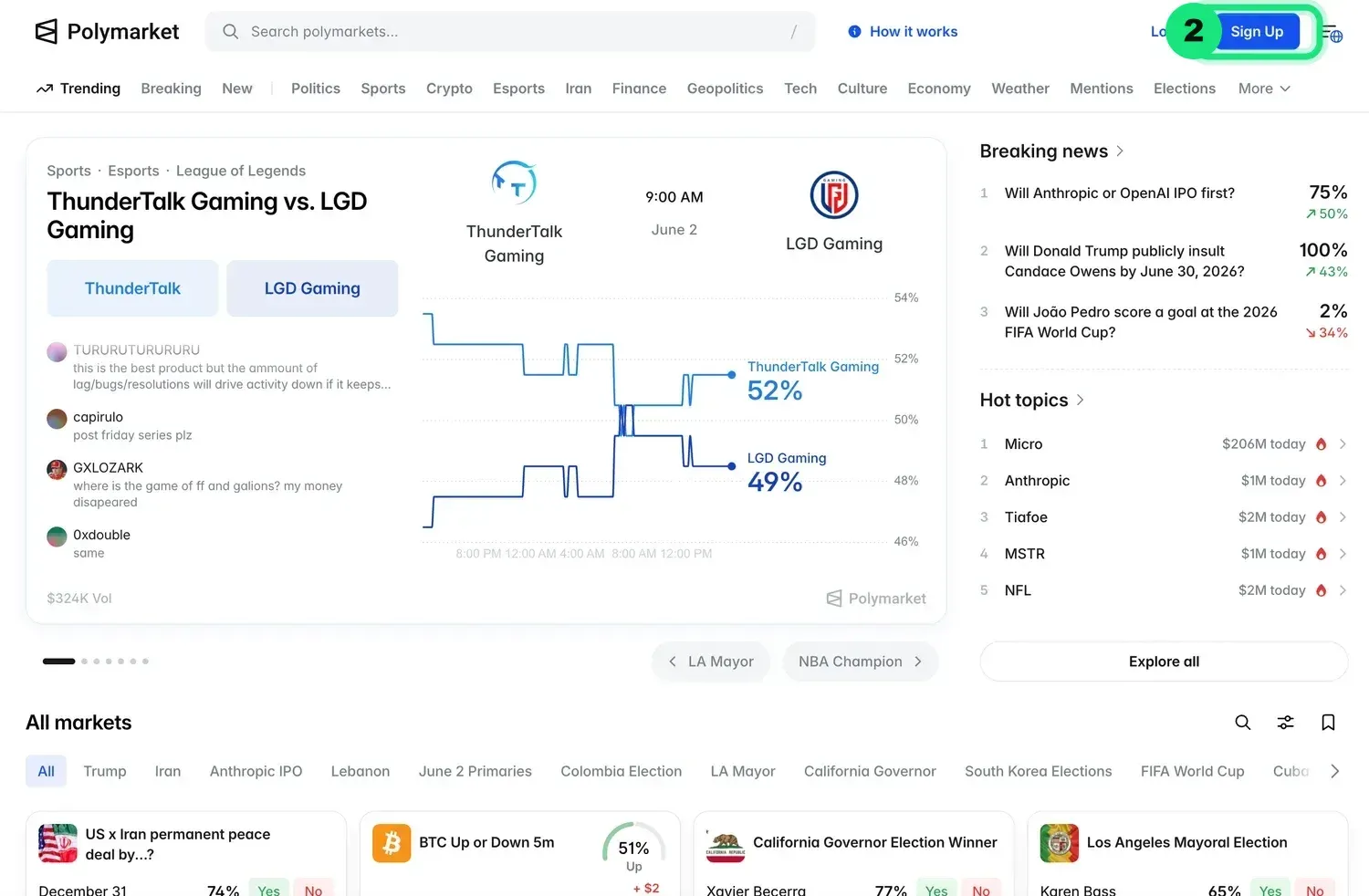
Click “Sign Up”
When the Polymarket page opens, click the Sign Up button in the top-right corner.
- 3
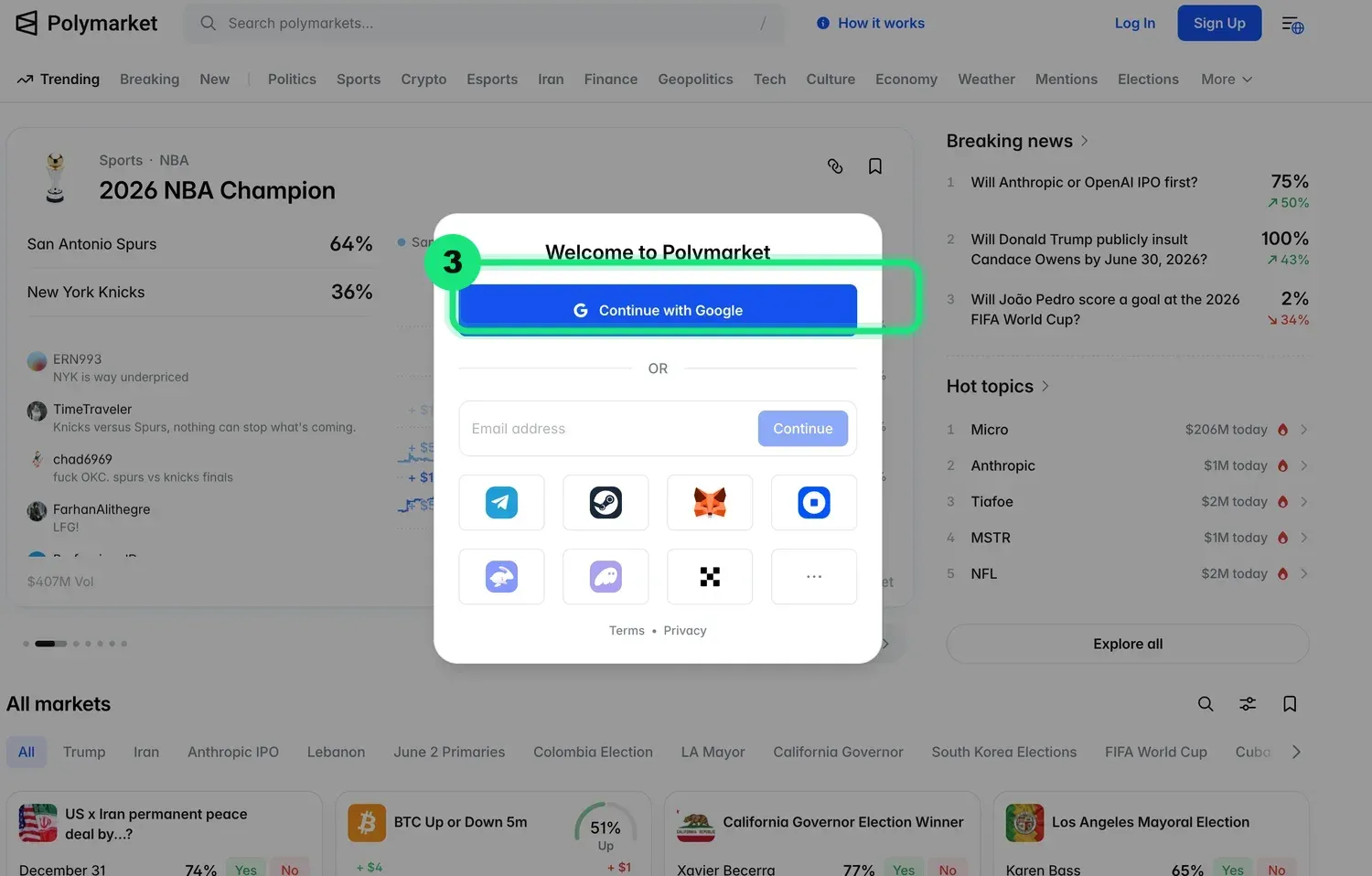
Continue with Google
Click “Continue with Google” to sign in with your Google account — the fastest way to get started.
- 4
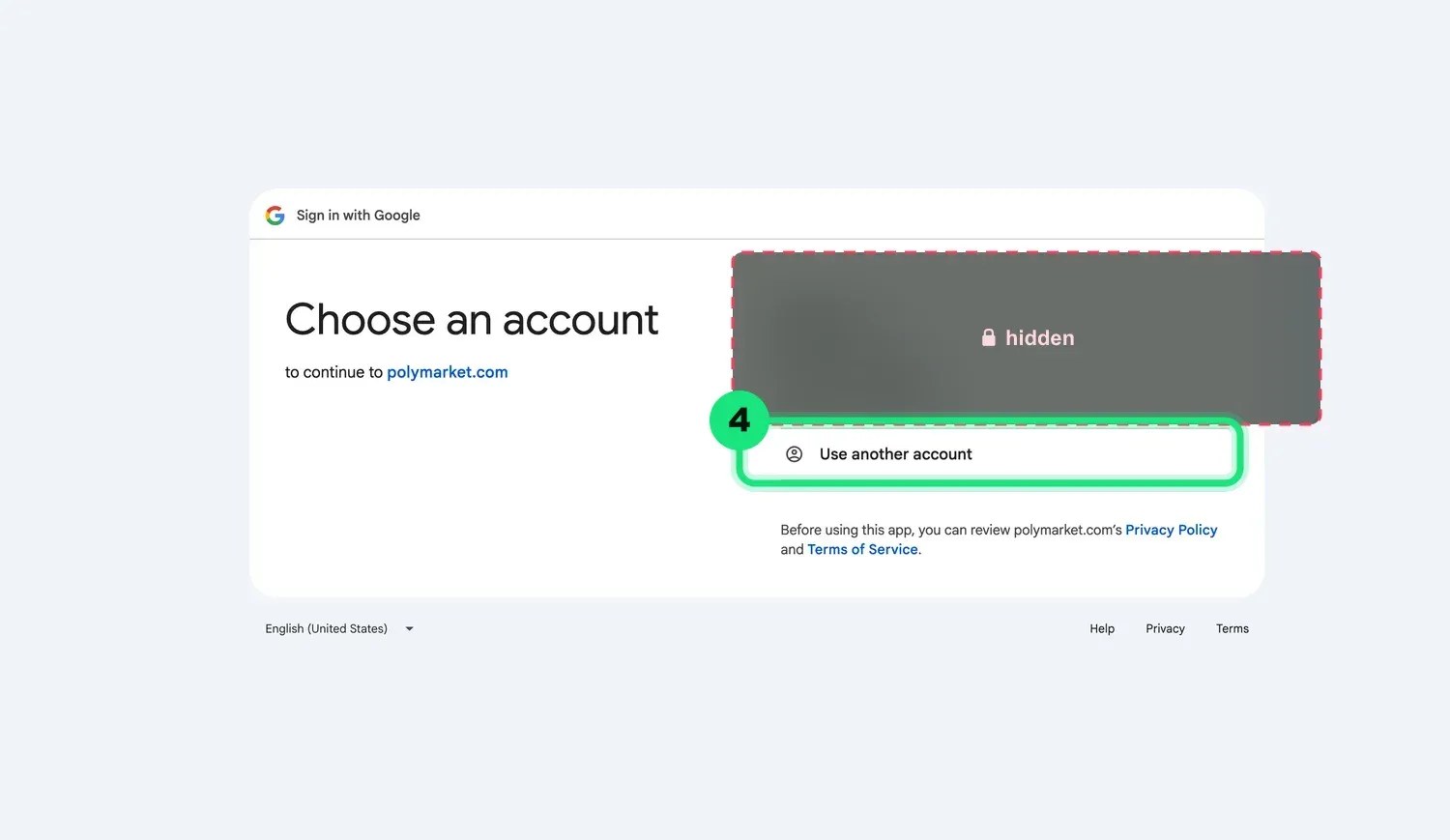
Choose your Google account
Pick the Google account you want to use, or click “Use another account” to sign in with a different one.
- 5
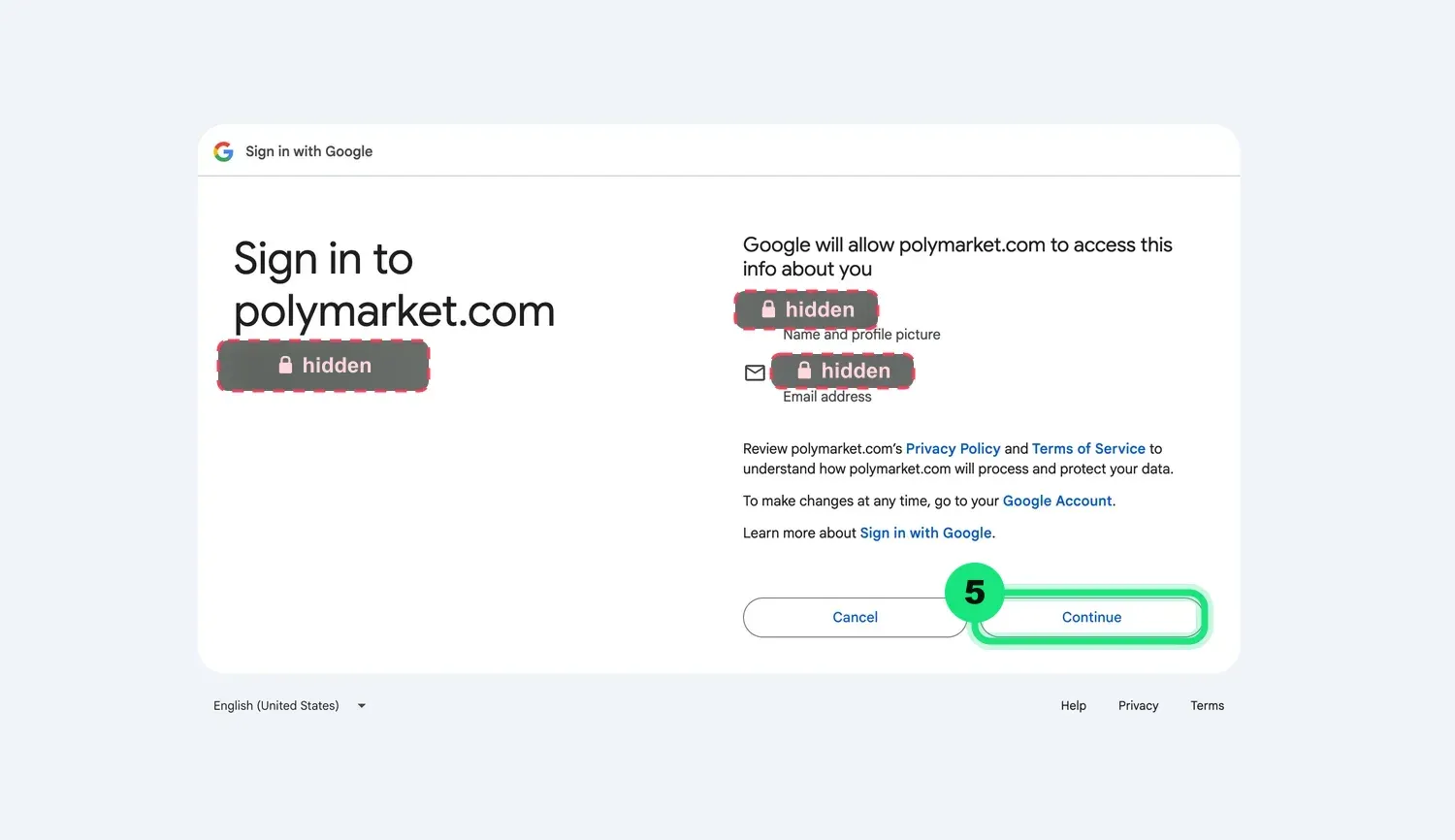
Confirm and continue
Review the permissions and click “Continue” to finish logging in.
- 6
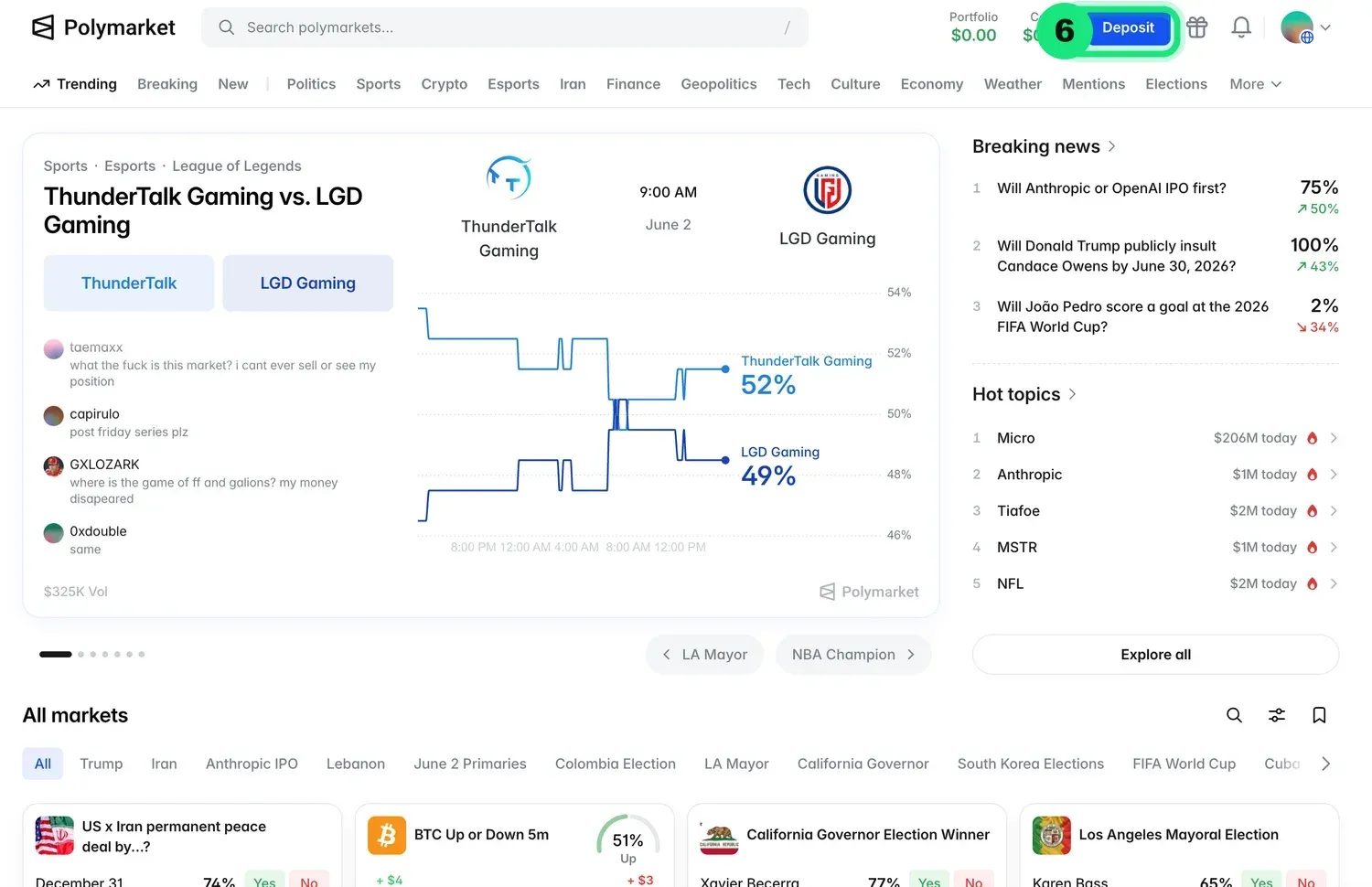
Open the Deposit screen
Once you're logged in, this is your home screen. Click the “Deposit” button in the top-right.
- 7
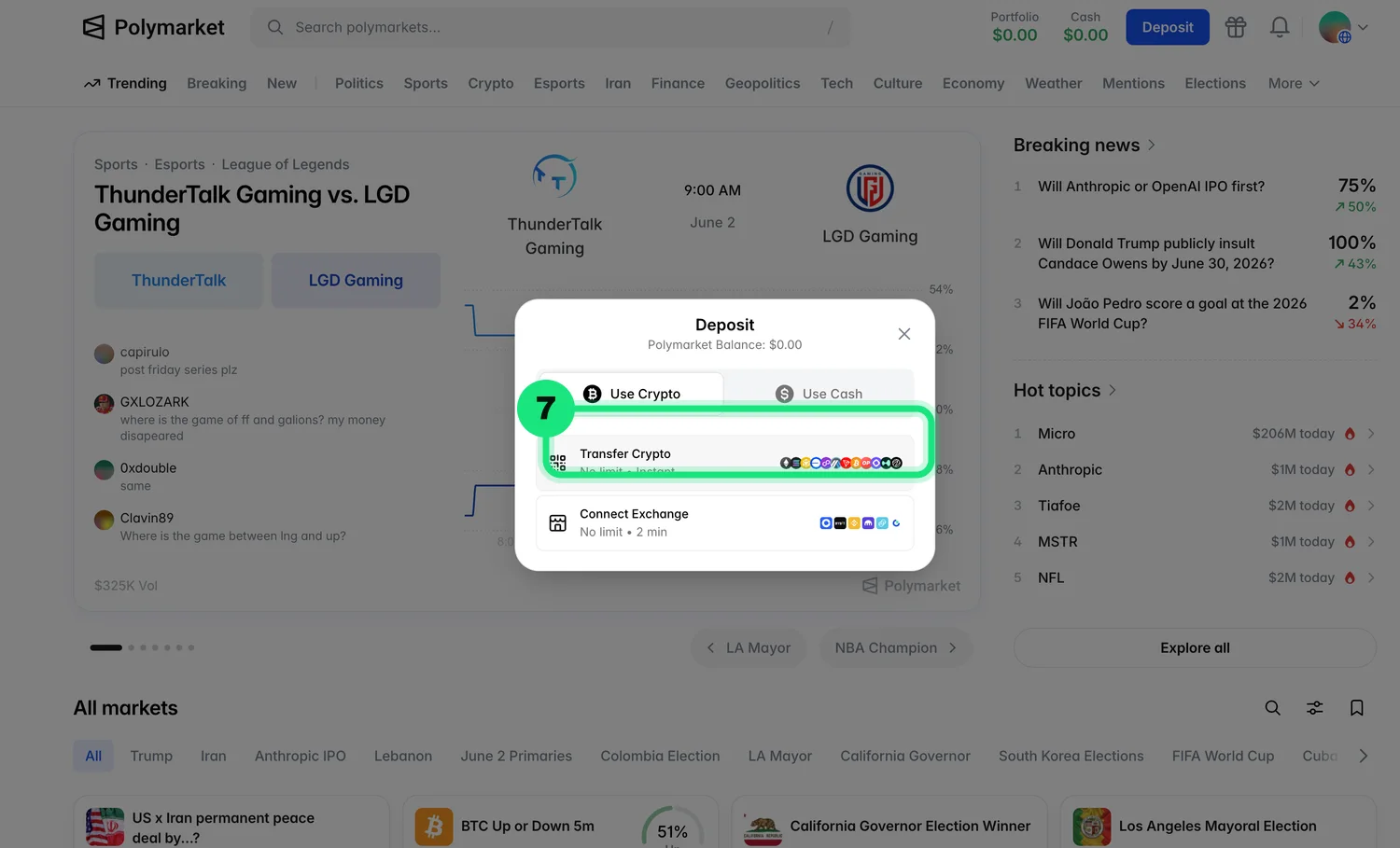
Choose how to fund your account
Click Transfer Crypto to fund your account with USDC. Prefer a bank deposit? Use the Use Cash tab instead — just note that FX fees apply to cash deposits.
- 8
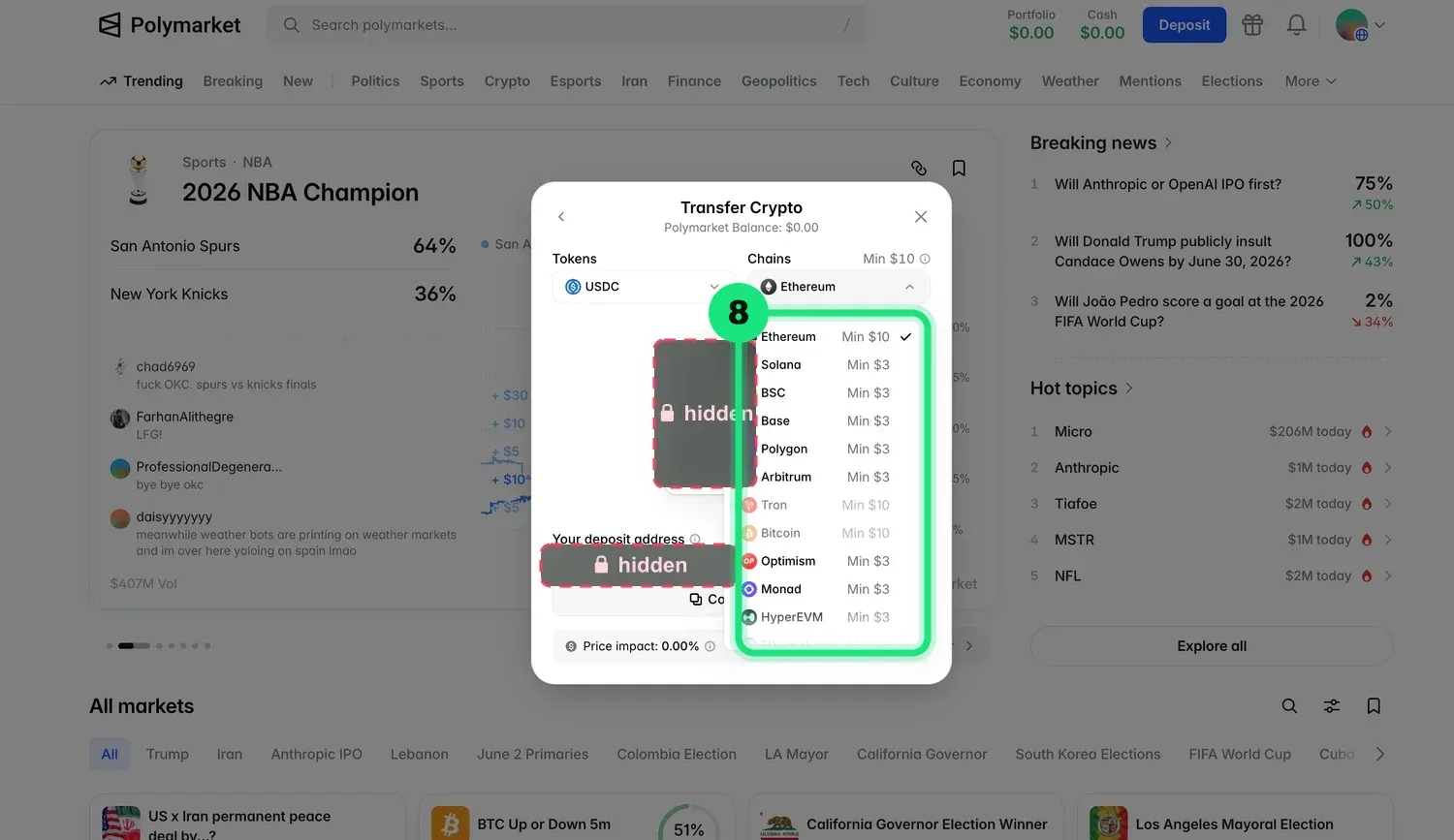
Pick a network
Choose a network your exchange supports. Solana, Ethereum, Base, Polygon, and Arbitrum are all recommended.
- 9
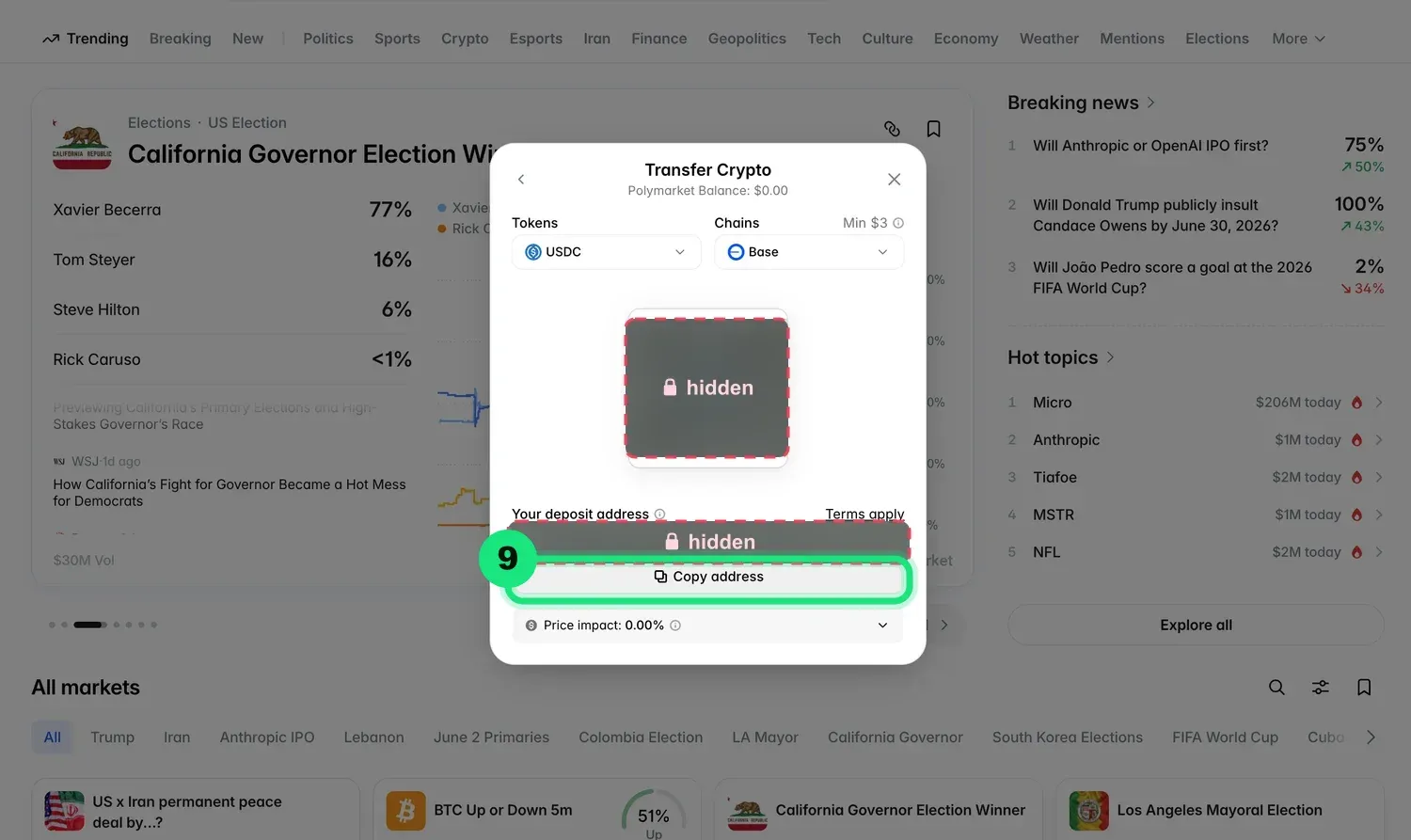
Send your USDC
Scan the QR code, or click “Copy address” and send your USDC to that address from your exchange. It will fund your Polymarket account.
- 10
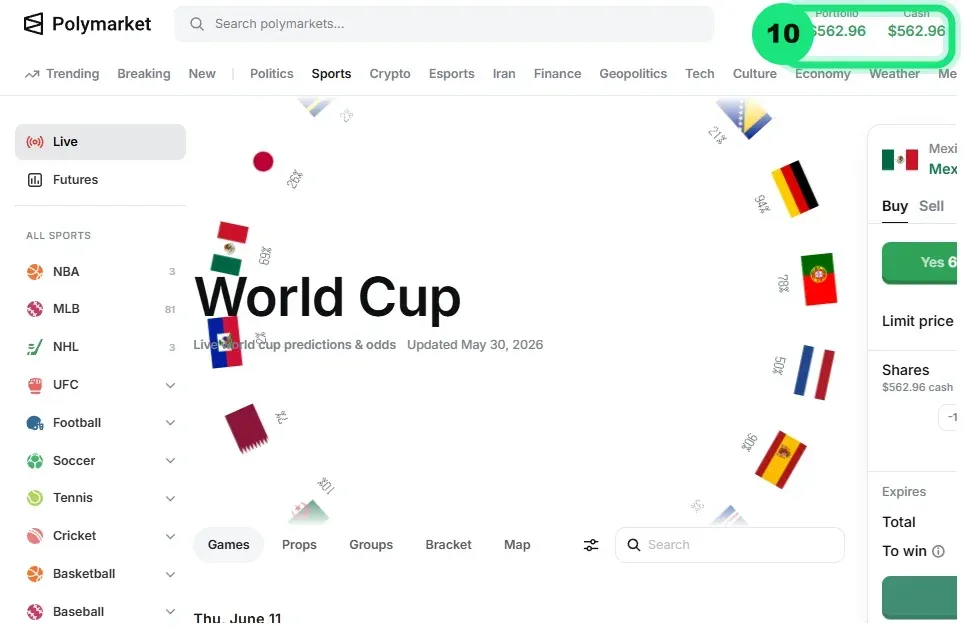
Predict, win, and withdraw
Your account is funded! Predict on the markets you like, win the odds, and withdraw back to the same exchange you deposited from whenever you're done.
Ready to make your call?
Head to Polymarket's World Cup board and back your prediction.
Open Polymarket ↗Frequently asked questions
Q. How do I sign up for Polymarket?
Open Polymarket, click Sign Up, then choose “Continue with Google” to create an account in seconds.
Q. How do I deposit money into Polymarket?
Click Deposit → Transfer Crypto, pick a network your exchange supports (Solana, Base, Polygon, Arbitrum, or Ethereum), and send USDC to your deposit address.
Q. Can I deposit with a bank account or card?
Yes — use the “Use Cash” option instead of Transfer Crypto. Note that FX fees apply to cash deposits.
Q. What does a payout multiplier like x2.00 mean?
Odds on Polymarket are payout multipliers. A 50% chance pays x2.00, so a winning $10 prediction returns $20. The multiplier equals 1 divided by the implied probability.
Q. How do I withdraw my winnings?
Withdraw your USDC back to the same exchange you deposited from, whenever you're done.
Q. Is Polymarket available in my country?
Prediction markets are not available in every region. You are responsible for complying with your local laws.
Prediction markets involve financial risk and may not be available in all regions — you are responsible for complying with your local laws. Only deposit what you can afford to lose. 18+/21+ where applicable.